



MS-XeleratorÔ


Accelerating Data Analysis in LC-MS Profiling Studies


MS-Xelerator is an extremely fast and comprehensive software product for processing of Liquid Chromatography – Mass Spectrometry (LC/MS) data, with expandability to other types of data such as GC/MS or CE/MS as well. Basic application areas of MS-Xelerator are: 


·        Impurity Profiling

·        Degradation Profiling

·        Metabolite Profiling

·        Differential Analysis

·        Metabonomics

·        Quantitative Proteomics &

·        Biomarker Discovery


 When it comes to finding Differences   

Sample A


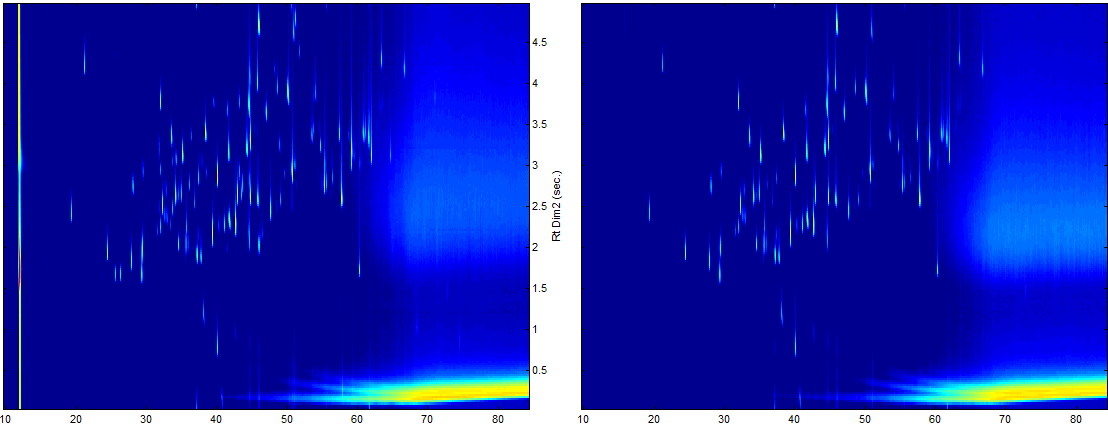
Differential Analysis

Marked are peaks from Sample A, not found in B


Sample B


It is well known that due to automation of sample preparation and acquisition, the amount of data from LC-MS experiments, in the above areas, has increased extremely.

The processing of data can be divided in two parts. The first step consists of finding all significant components in the data. The second step involves the use of additional information to pick out the relevant components from the list of significant ones. Especially the part of finding significant components in a data set is a time consuming task which is strongly dependent of the problem and the knowledge of the analyst involved. Many significant peaks however are not relevant  (13C isotope peaks, adduct peaks, matrix components, etc.). These non-relevant peaks will have to be removed using dedicated algorithms.


MS-Xelerator consists of four modules, each of which contains of a number of unique algorithms which are unparalleled in speed, sensitivity and ease of use. Many of the problems encountered in the above areas can be solved using MS-Xelerator. New algorithms and methods are continuously being added to the program, especially in the area of Metabonomics and Biomarker Discovery.


MS-Xelerator Overview:


The Browser:

The Browser Module consists of a very fast interactive graphical environment to explore mass chromatograms and mass spectra based on either the Total Ion Current or the Base Peak Chromatogram. Different mass chromatograms can be overlaid, normalized, rescaled and at the same time compared to external signals, e.g. UV-traces. The module is especially useful for the exploration of samples from Impurity Profiling and Peak Purity Analysis.


MPeaks: Fast and powerful algorithms for peak picking

Most LC-MS data sets can be analyzed with MS-Xelerator in less than 10 seconds, after which the user will have a number of unique filter operations to enhance the search for relevant peaks and components.


Unique Filter Operations, a large number of filter operations can be used to further reduce the data, e.g.:

·         Peak list editing and sorting, export results to text files or Excel

·         De-isotoping of peaks, calculate charge states and monoisotopic peaks

·         Differential Analysis – Blanc and or reference correction

·         Link results to Mascot

·         Accurate mass filters, & mass defect filtering

·         Na & K adduct recognition

·         Convert peaks to components (peak clustering)

·         Identification of Metabolite and Degradation products

·         Construction of user specified peak lists

·         MPeaks Batch Manager: process list of samples simultaneously


IPeaks: Isotope Pattern Recognition & Quantitative Proteomics

IPeaks is dedicated to finding peaks/components in your data having specific isotopic patterns. These patterns can be “natural” as will be the case in drugs containing e.g. Cl, Cl2, Br or they may have been  introduced by using special stable isotope labeling techniques like: SILAC, ICAT, ECAT, 14N/15N, 16O/18O, etc. The latter ones are often used in the field of (Expression) Proteomics.


SILAC:   Stable Isotope Labeling for amino Acids in Cell Culture

ICAT:     Isotope Coded Affinity Tag

ECAT:    Element Coded Affinity Tag

SITE:      Stable Isotope Tagging of Epitopes


Peaks having specific isotope patterns or peaks from labelled compounds are found by IPeaks in a fraction of the time compared to a manual screening of the data set. The search will be performed on the raw data. No identification (of peptides) using database searching will be necessary. The IPeaks module contains the following features:


·         Four different Isotope Matching algorithms, some require co-elution others not

·         Choose from predefined isotope patterns: Cl, Cl2, Br, 13C, Binomial Distributions, 16O/18O labeling, SILAC 13C/15N, 14N/15N labeling or create you own isotope pattern

·         Adjust ratios between isotope peaks; ratio’s based on peak height or peak area

·         Special Isotope filtering algorithms and Plot handling.


MS Compare: Biomarker Discovery & Metabonomics

Within MS Compare you can compare series of LC/MS samples coming from impurity profiling, metabolite profiling or biomarker discovery studies. The comparison can be done using mass chromatograms or mass spectra.  Groups of samples (classes) can be colored to more easily detect differences between the groups. After a manual screening, important peaks can be stored to so-called profile tables. Based on these tables a number of different views can be constructed to either see similarities or differences between selected samples (Heatmaps, 3D views, Local Screening Plots, Profile Plots etc). The tables are also used to perform more advanced chemometric techniques like Cluster Analysis and Principal Component Analysis (PCA).


A number of preprocessing methods are available to enhance the quality of your data. Additionally, four alignment algorithms can be used to correct for retention time shifts between the samples: Offset Shifting, Cross Correlation, Correlation Optimized Warping and Peak Based Warping.


The MS Compare module is linked to all other modules in MS-Xelerator. Samples can be linked to MPeaks to do an in-depth full analysis. The MS Compare module also contains a Biomarker Discovery algorithm, optimized to perform automated two-class comparisons. Whenever you have two sample classes, e.g. control vs. disease or normal vs. treated, the Biomarker algorithm will find unique peaks discriminating the two classes. These peaks can be visualized in so-called Biomarker Surfaces Maps or exported to tables.


Screen Shots MS-Xelerator


                 Browser Module showing TIC in overlay with UV-signal, extracted ions and the

                 mass spectrum of the selected scan.


                                                                                                                                                         MS Compare Module, Top: Overlay of TIC’s and Extracted Ion Currents.


                  MPeaks Module showing peak height sorted results


     Peak Profile Plots – Plot Peak areas for all samples or all peaks


                                                             Biomarker Surface Map showing unique peaks


                                                                                                                                                                     MPeaks Viewer – Matrix Plot (5x6), select mass chromatograms or mass spectra


                  MPeaks Viewer – Line Plot, peaks sorted by retention time, possible metabolites

                  are identified and labeled


                                                                                                                                           MPeaks Viewer – Dot Plot, in overlay with Total Ion Current


MS-XeleratorÔ

Download Amsterdam Biomarker Summit Poster 2007


Download PDF Brochure


Contact   mailto:info@msmetrix.com